Optimized Single Page Checkout Experience
Increased Conversion
Usable & Accessible Design System Built
GOAL
Streamline a multi-step, multi-page checkout into a single, responsive flow to reduce drop-off and improve usability.
MY ROLE
Product Designer & Researcher
OUTCOME
Launched a new responsive checkout experience supported by an accessible design system, reducing bounce rates at the shipping step and improving reporting.
What Wasn’t Working
The old checkout process was spread out across four separate pages and didn't feel great to use.
Conversion Issues
We saw drop off rates in conversion within the multi-page process.
Responsiveness
It was especially clunky on mobile.
Inconsistency
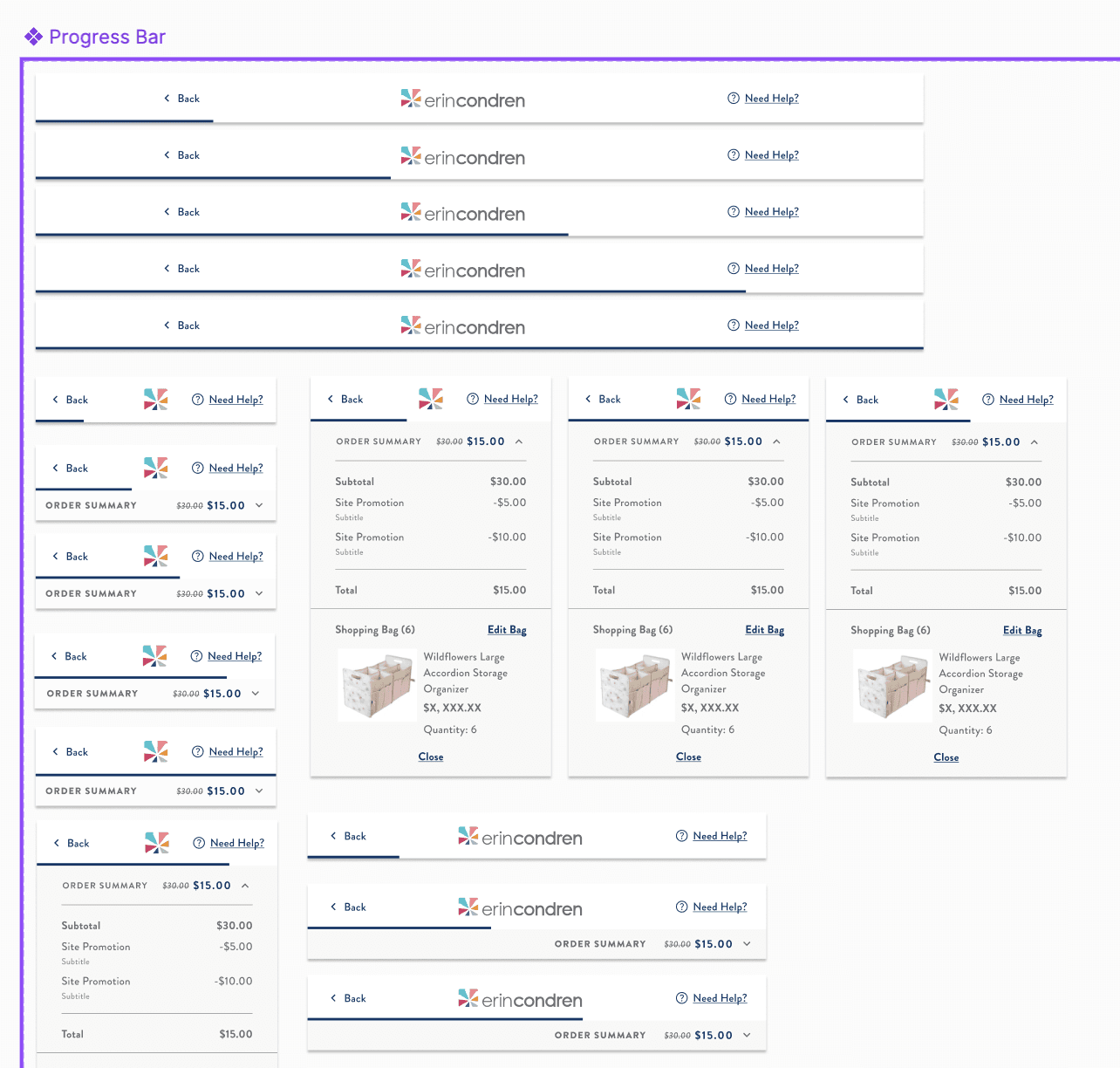
UI lacked visual consistency (lack of design system).
Usability & Accessibility
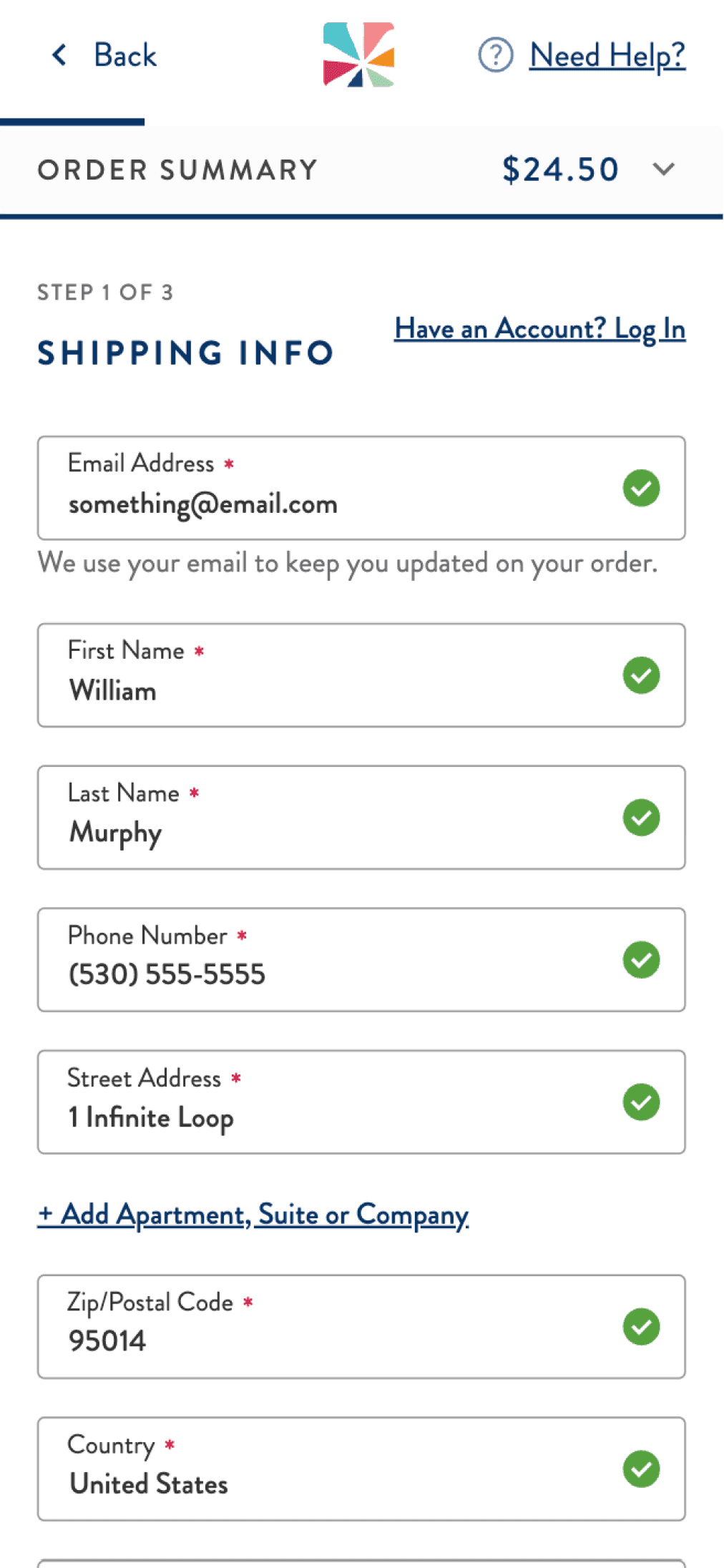
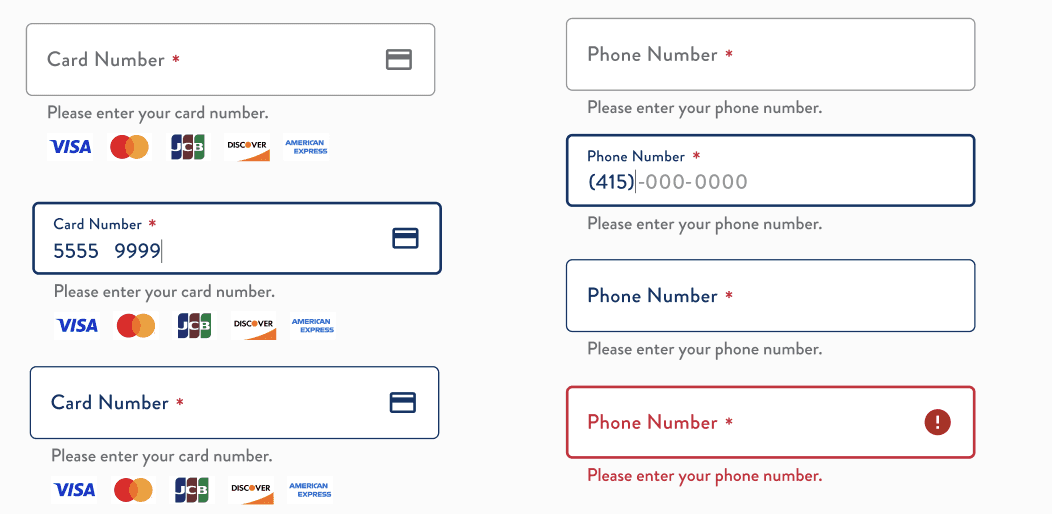
Text fields and CTA's lacked masked fields, interactive states, and sufficient contrast to be properly accessible. Touch targets were especially small.

What I Did
Led the redesign from start to finish — digging into analytics, mapping the current flow, identifying drop-off points, and building a new design system from scratch to improve the usability and accessibility of the interface.
I ran two rounds of moderated usability testing to validate the new direction, then partnered with engineers to prototype and build a cleaner, more cohesive experience.
I also QA'd the flow myself across devices and states, and worked with the web team to make sure the final product felt on-brand.
decisions I made validated by user research
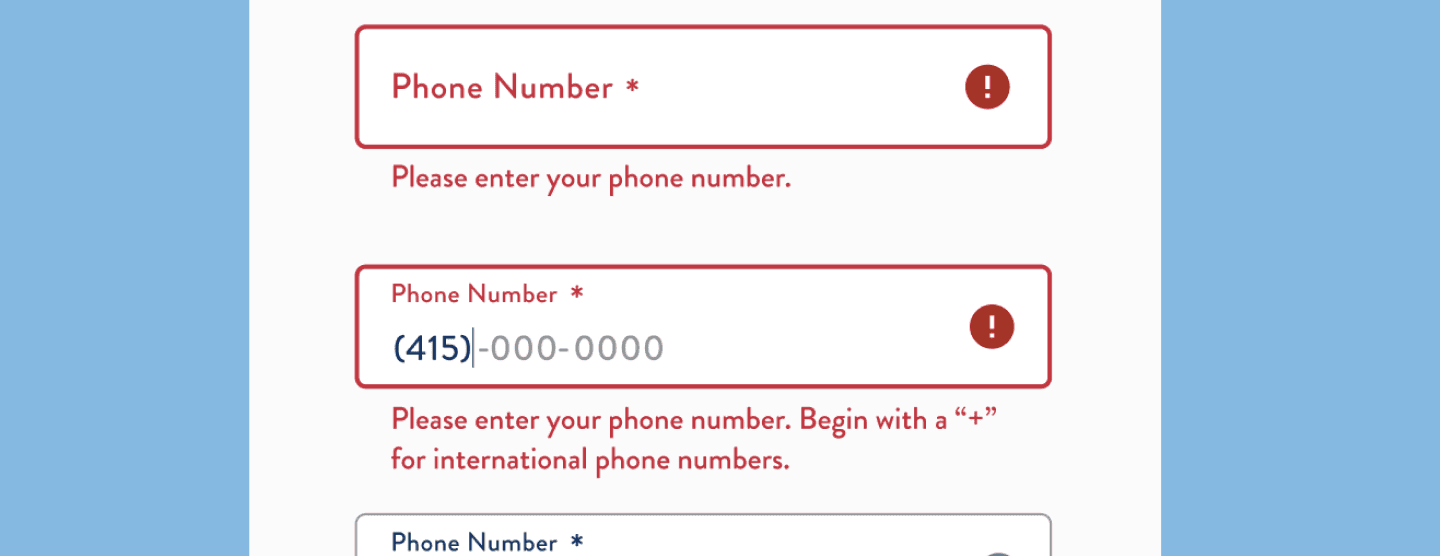
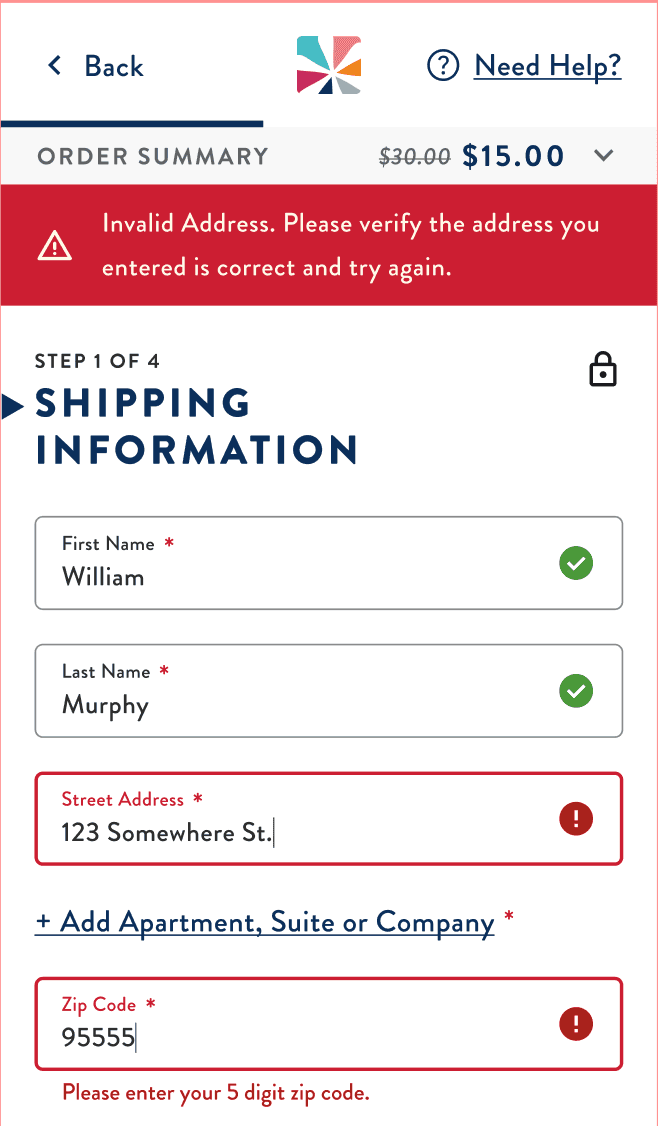
Added inline error validation to prevent frustrating form failures
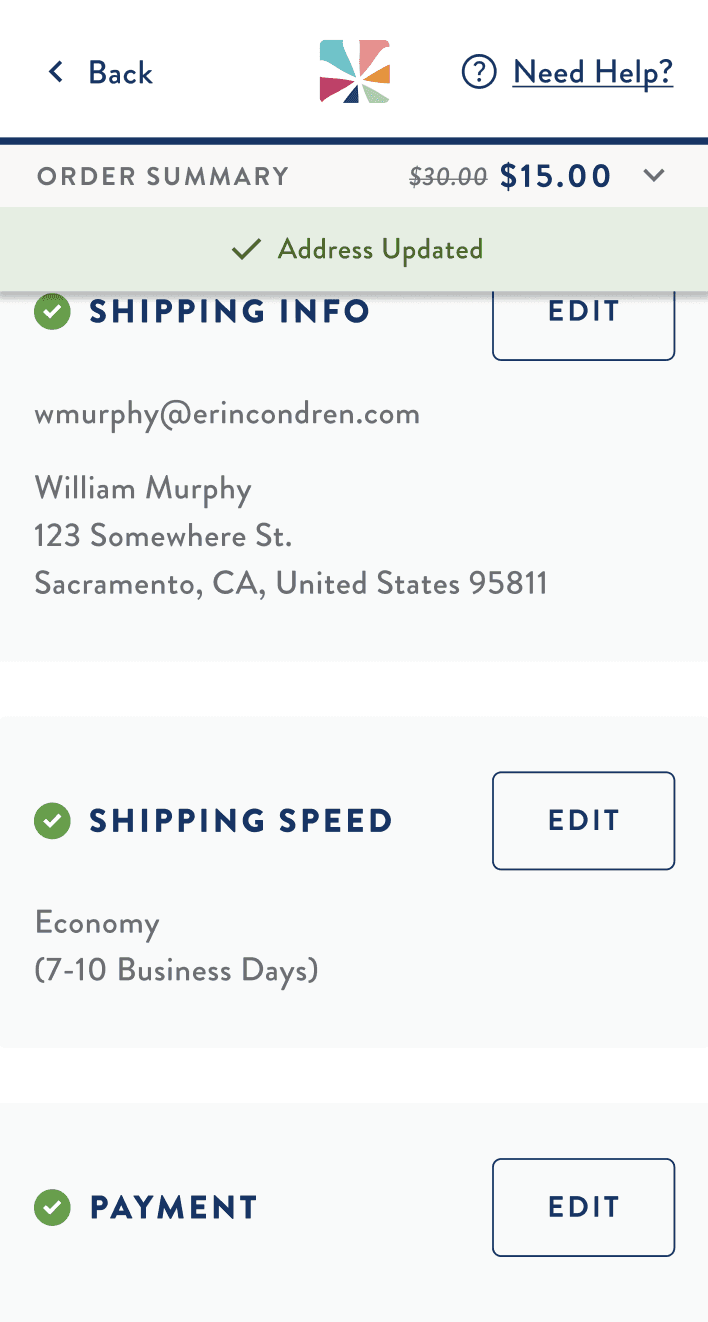
Used progressive disclosure to keep things from feeling overwhelming
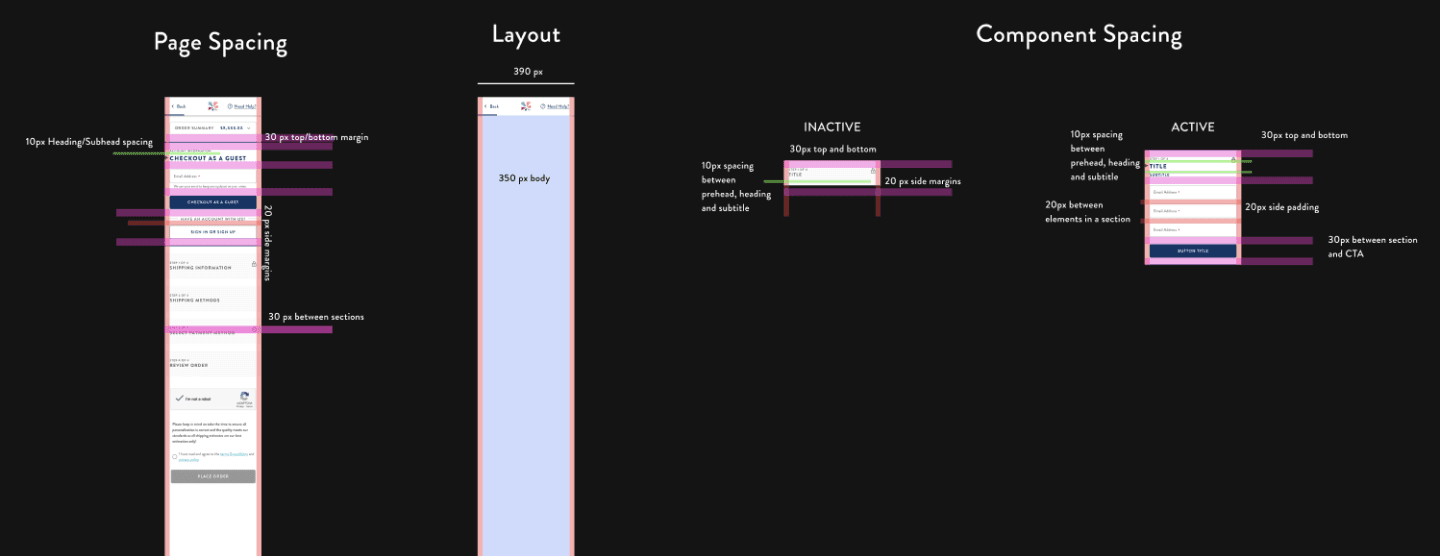
Designed mobile-first, prioritizing clarity and tap-friendly interactions to enhance usability.
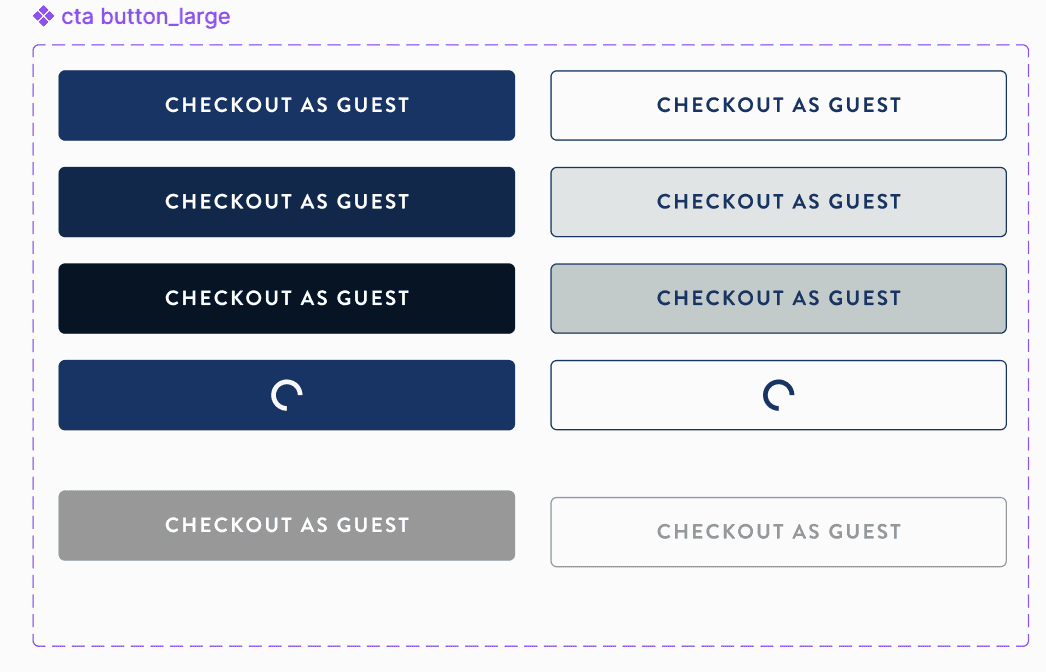
My Process
A comprehensive methodology from initial research through post-launch optimization.
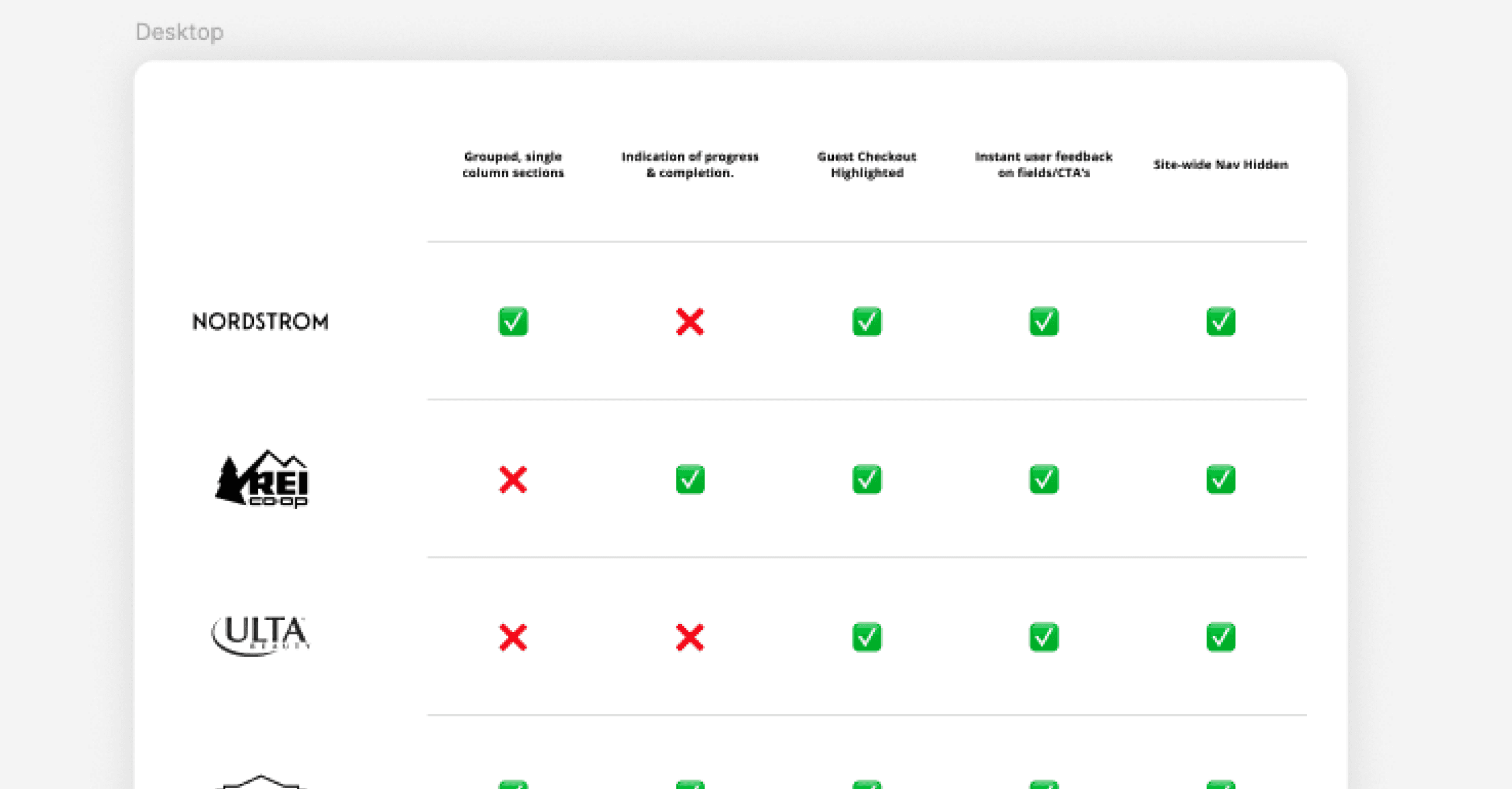
RESEARCH & BENCHMARKING
→ Competitive Audit
→ UX Audit of Current Experience
→ Reviewed Customer Surveys/Feedback from Support Team
DEFINING ISSUES
→ Sorted and prioritized competitive research findings.
→ Identified key customer feedback
→ Prioritized items to be improved in coordination with my team.
→ Reviewed project requirements with stakeholders to
ensure alignment.
IDEATION & TESTING & VALIDATING
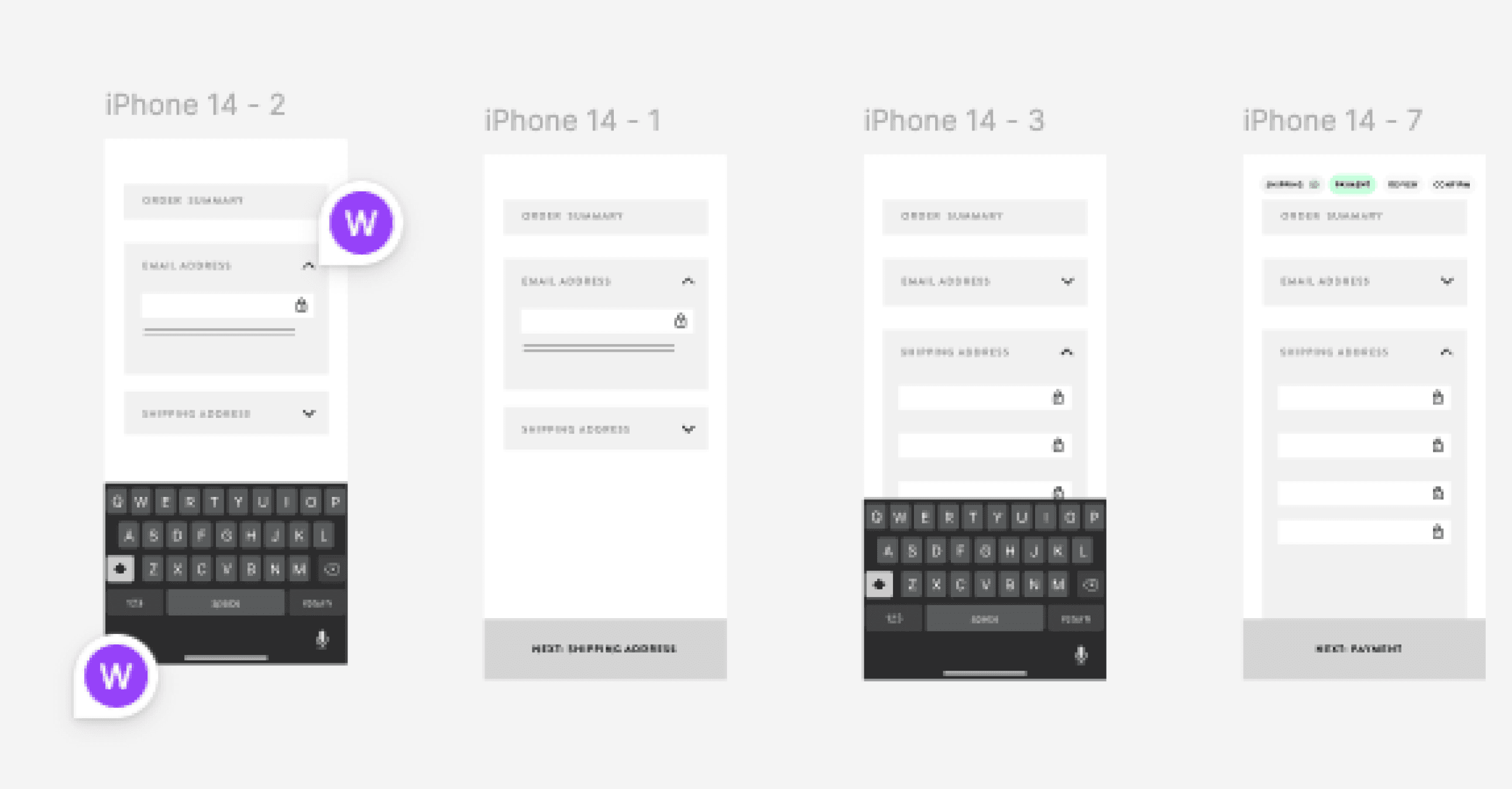
→ Created clickable wireframes in Figma to review with team.
→ Fed mocks into Chat GPT to get feedback.
→ Created scoring rubric to intake usability testing results.
→ Ran two rounds of moderated, remote usability testing.
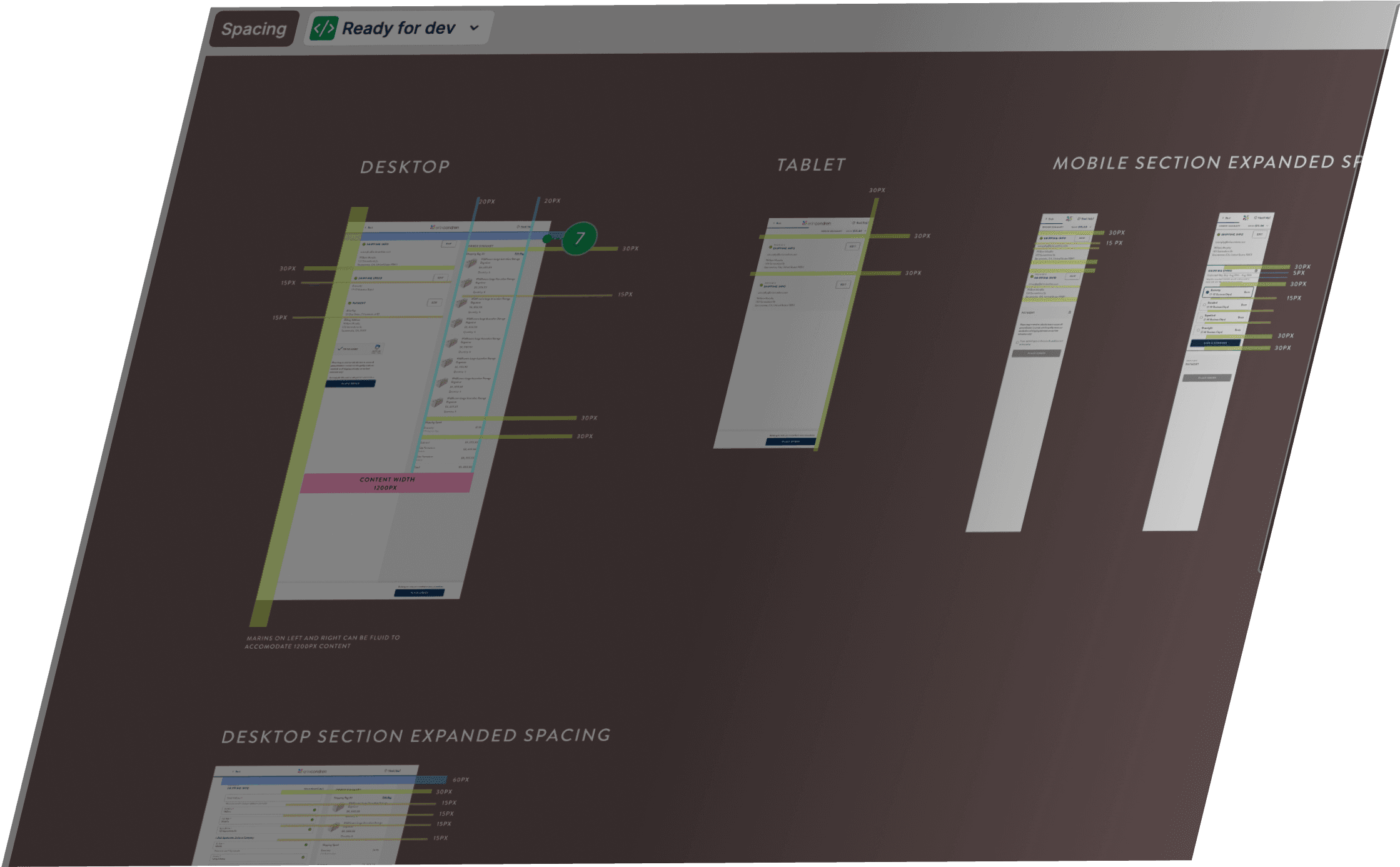
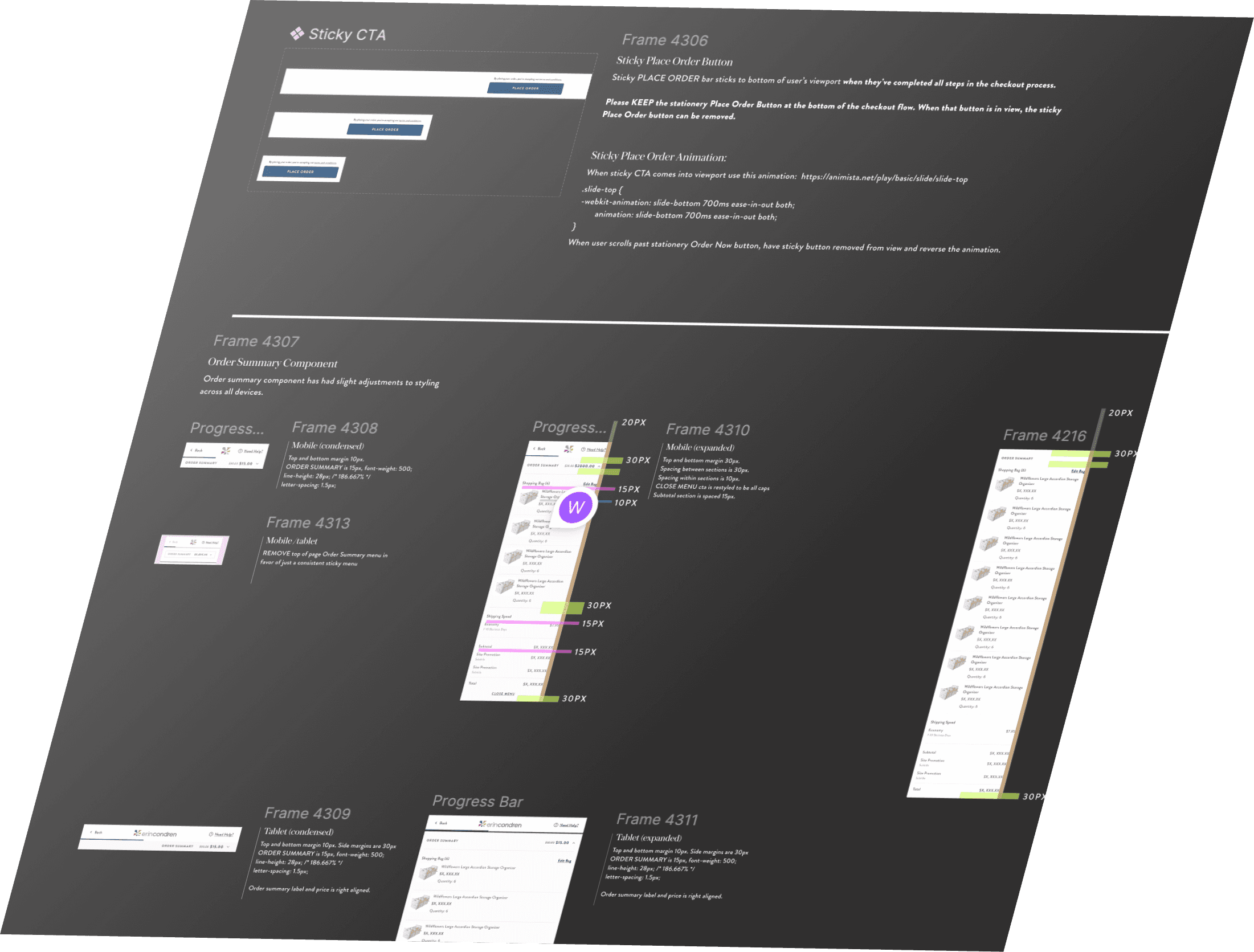
→ Built out atomic design system.
LAUNCH & ITERATE
→ Initial 30 day launch period showed some weakness at Shipping step.
→ Analyzed potential friction points
→ Implemented iterative improvements based on launch data to improve performance.
Usability Testing
I ran two rounds of testing: one with a wireframe prototype and one with a coded prototype.
→ Users described it as "faster" and "less stressful"
→ They appreciated the visible price summary and real-time error feedback
→Testing helped refine field grouping, error messaging, and layout clarity
Negotiating Improvements based on User Testing

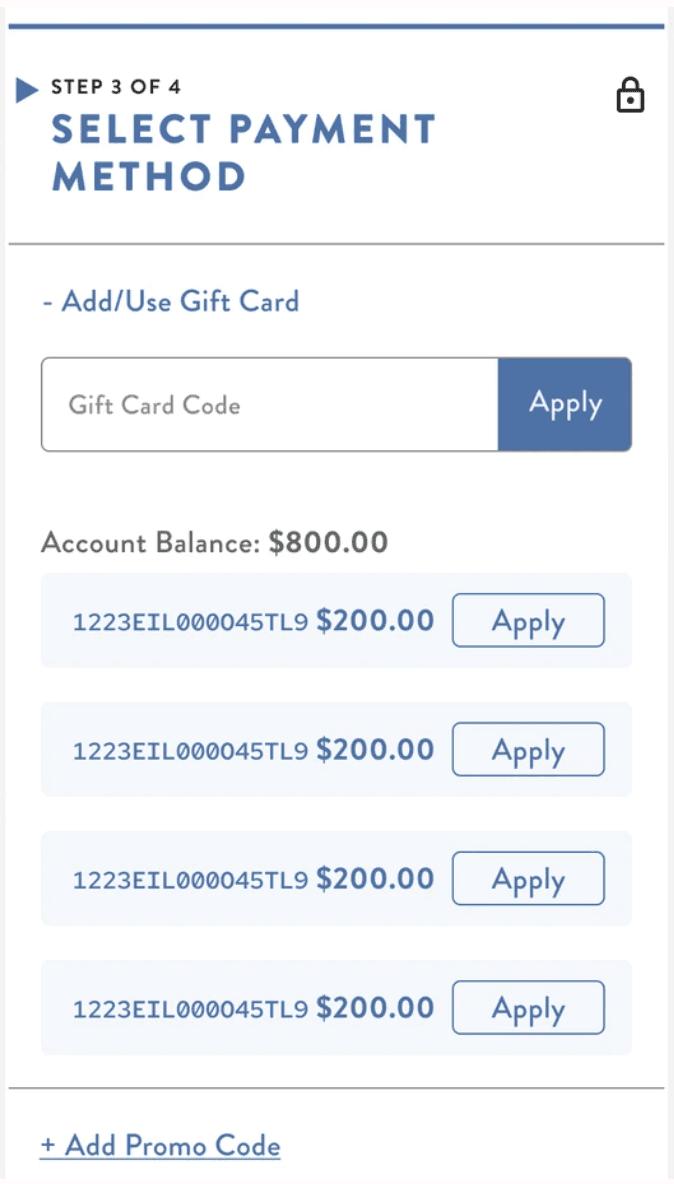
With stakeholders, I highlighted the cumbersome gift card experience participants noted during testing. I proposed simplifying it to allow users to use available credit easily. Backend limitations forced us to put on the back burner until post launch. We agreed, pending successful launch of new checkout, that we would revisit next year.
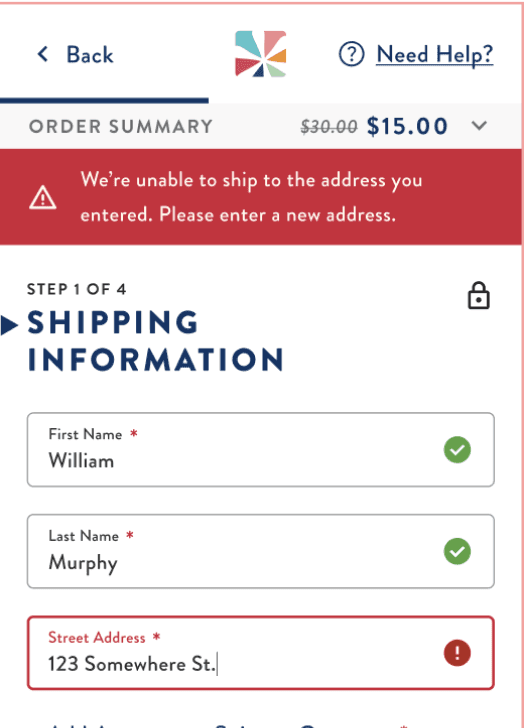
Our dev team let me know that our third party address verification service isn't able to provide this kind of granular feedback - therefore, I requested that all address text fields be put into an error state, to at least urge the user to review their entries. I also ensured that the error related to this issue directed the user to review too.
Responding to Friction In Launch Results
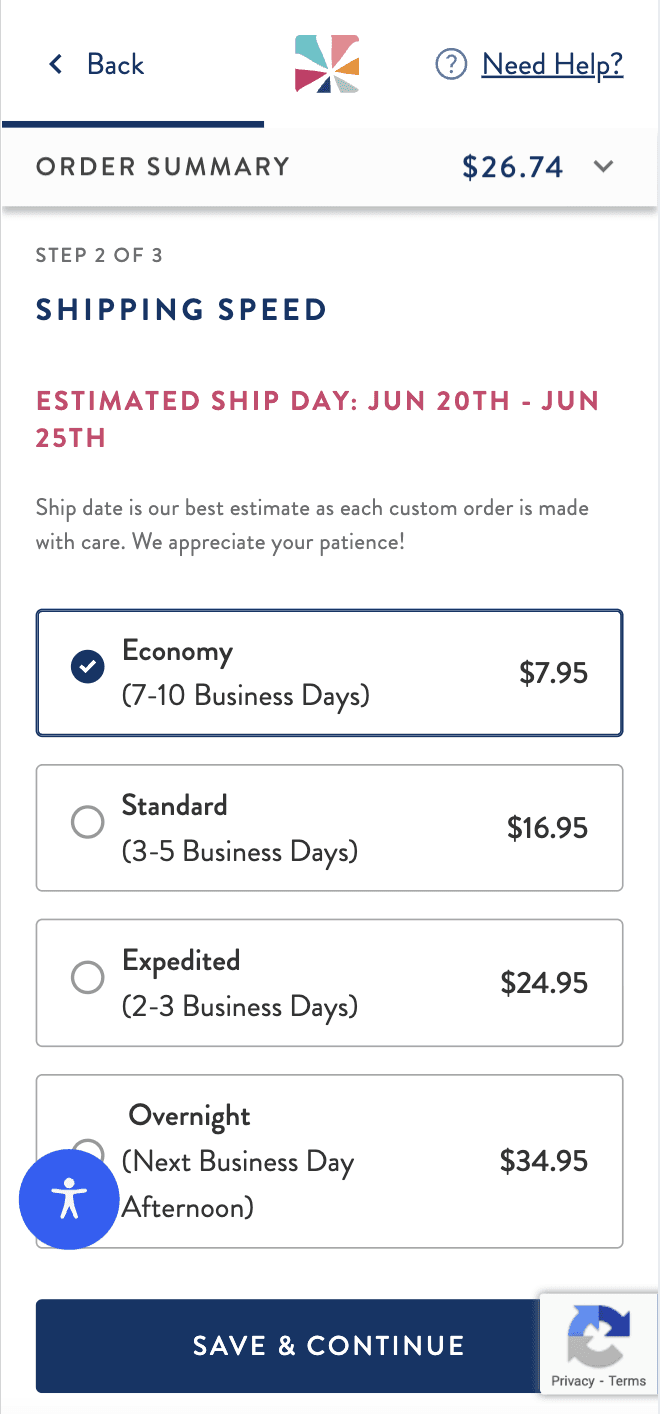
30 days post launch we saw a bit of a dip in conversion compared to our old experience, specifically around our Shipping step. I had to quickly assess what wasn't working and make some strategic UI updates based on data:
CONSOLIDATION OF STEPS
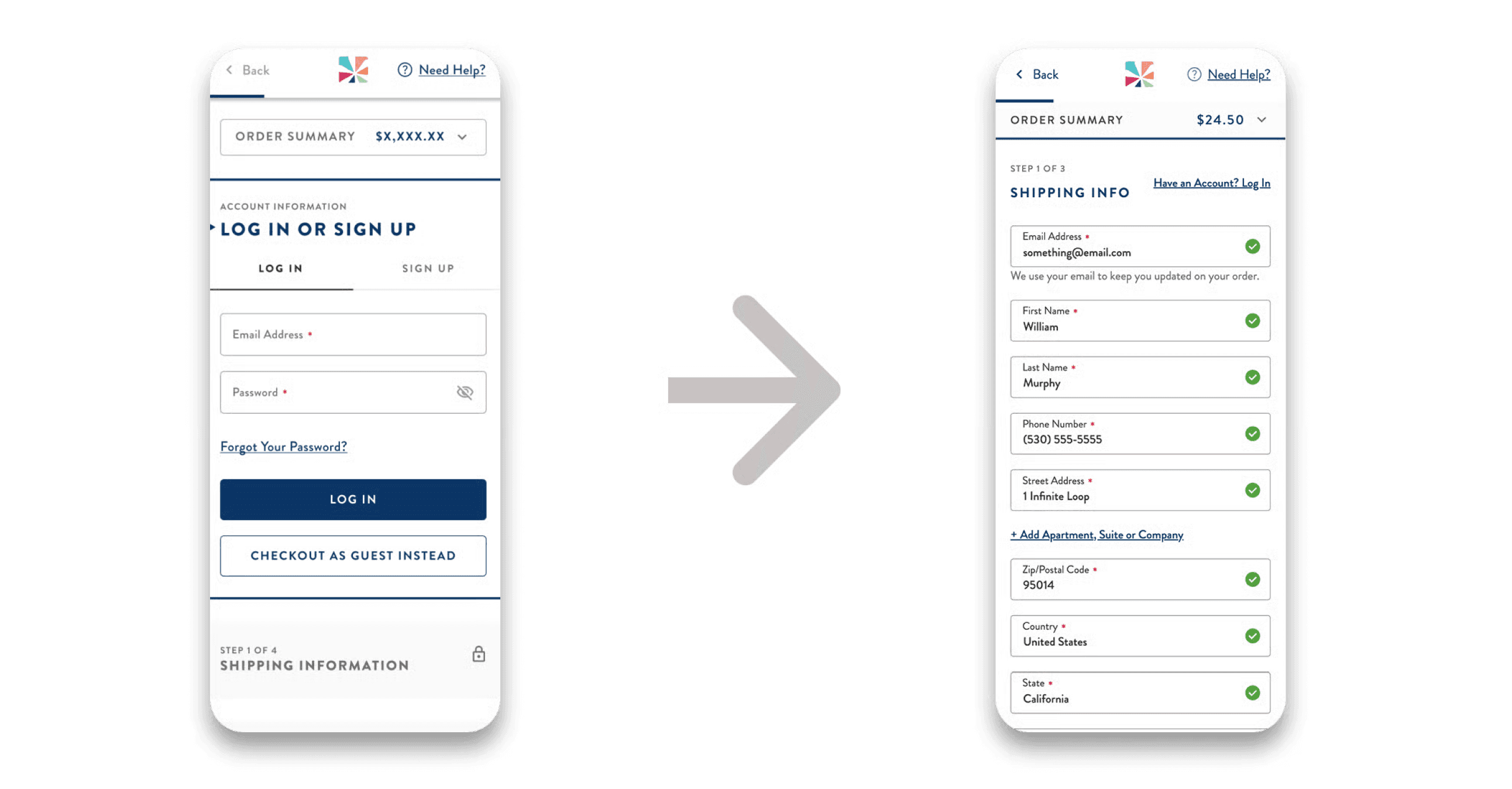
I combined the Contact and Shipping Information steps to reduce user effort. I deprioritized the Sign In/Checkout as a Guest option to a “Have an Account? Log In” link, believing it created unnecessary bottlenecks.
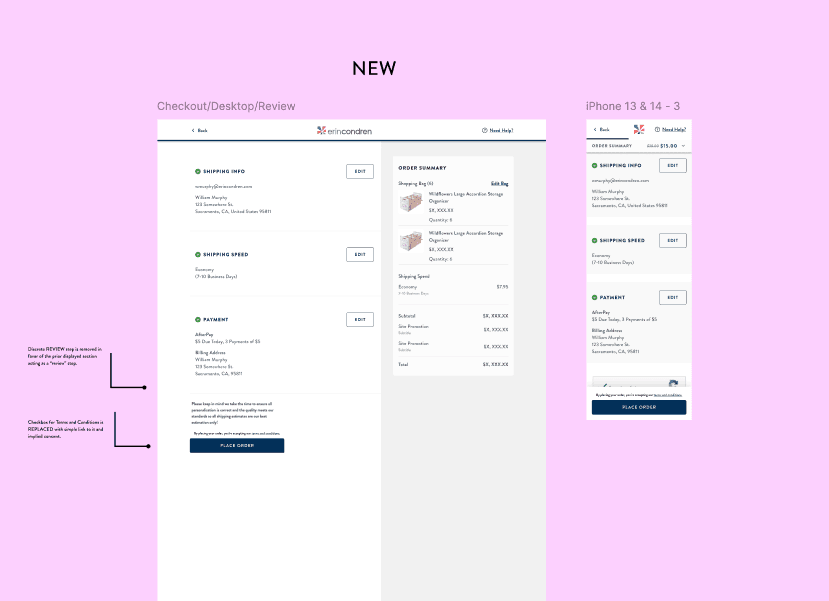
REMOVED REVIEW STEP + ADDED STICKY PLACE ORDER BUTTON
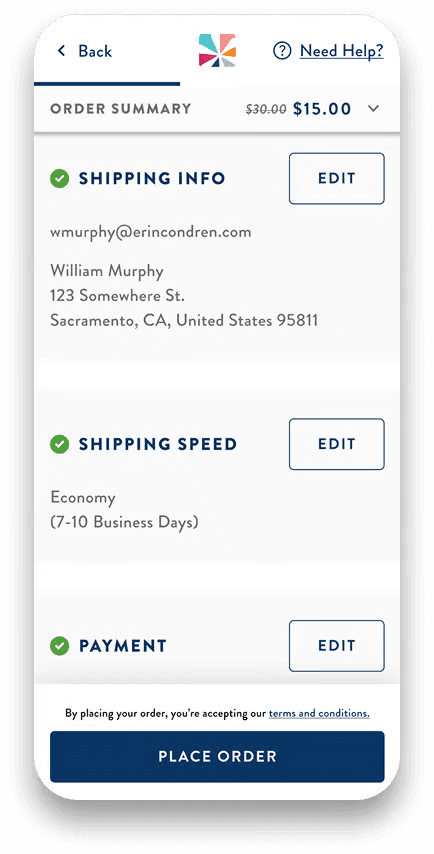
To further optimize for conversion, I removed the discrete Review step of the checkout flow, instead leaning on the completed states of each prior step to operate as a review.
In addition, I added a sticky Place Order CTA at this step to urge the user to complete their order easily without further friction.
SIMPLIFIED UI TO REDUCE
VISUAL LOAD
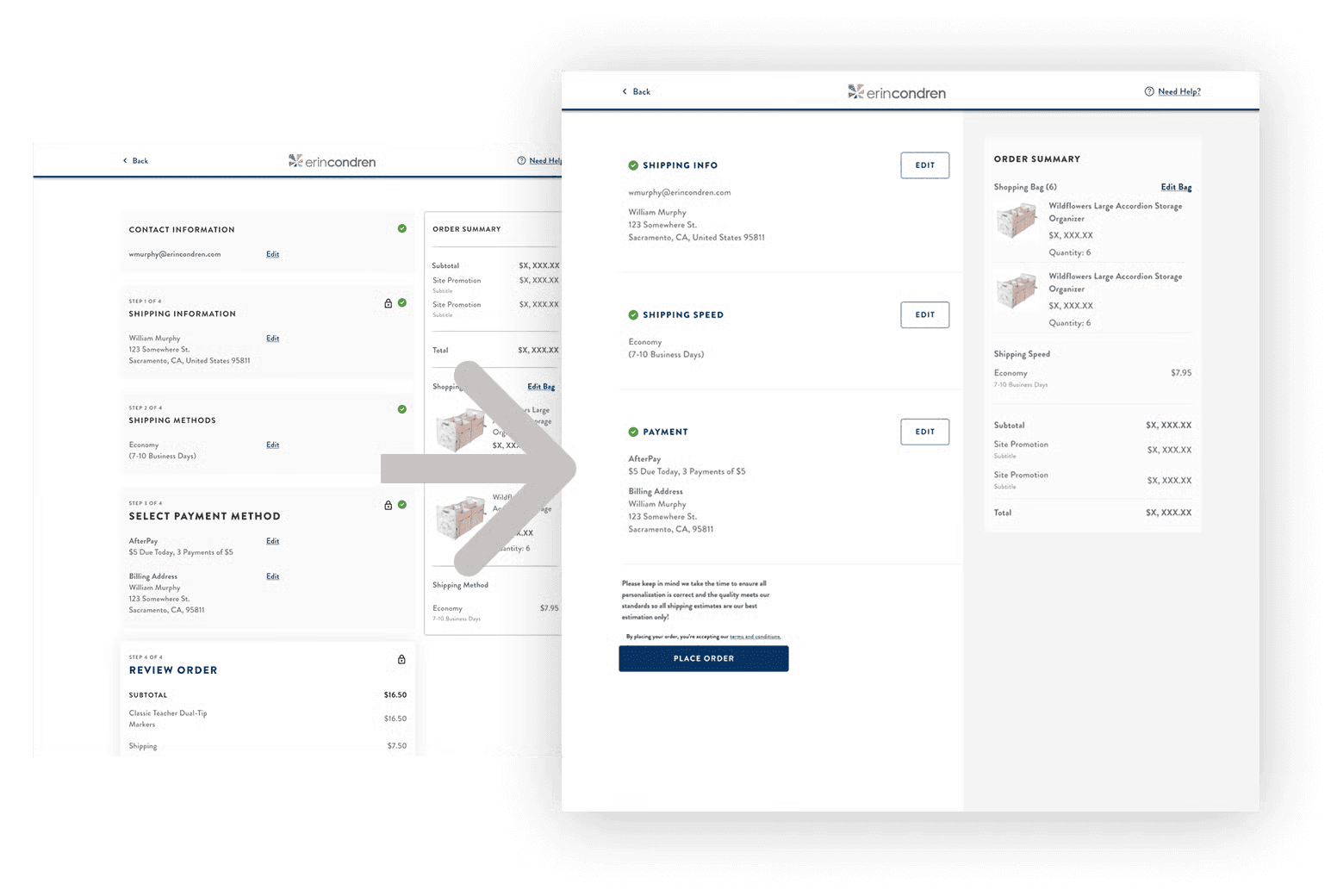
Initially, I approached the new checkout UI with stylized design elements: cards, drop shadows, and clear boundaries.
On desktop, I simplified the UI to reduce visual load and keep users focused on completing checkout.
Results
What I took away from this experience
Less is More
The best design is the one that gets out of the user’s way.
Bumps in The Road Can Happen
Even with perfect processes, things can not go according to plan. Follow the data and be proactive.
